You can import existing PICO questions and recommendations from other guidelines that you have access to. This makes it easier to reuse relevant content across guidelines without having to recreate it manually.
Import a PICO or recommendation
In the guideline where you want to add the content:
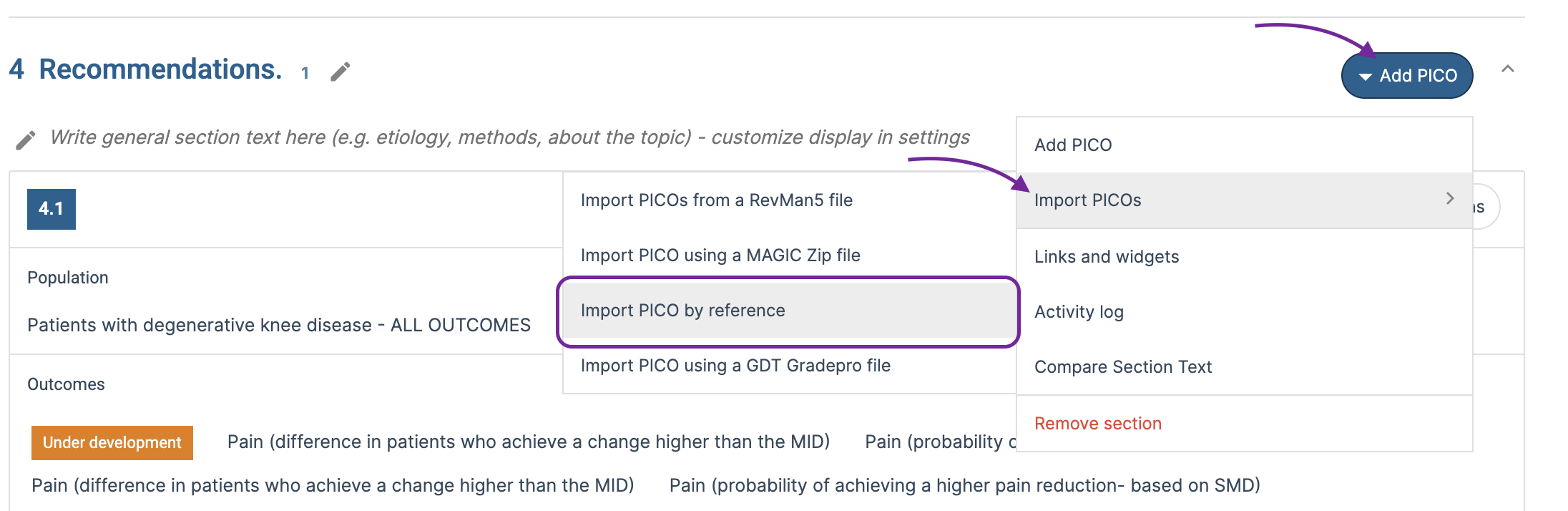
- Go to the section where you want to import the PICO or recommendation.
- Open the Section options menu.
- Select Import > Import by reference.
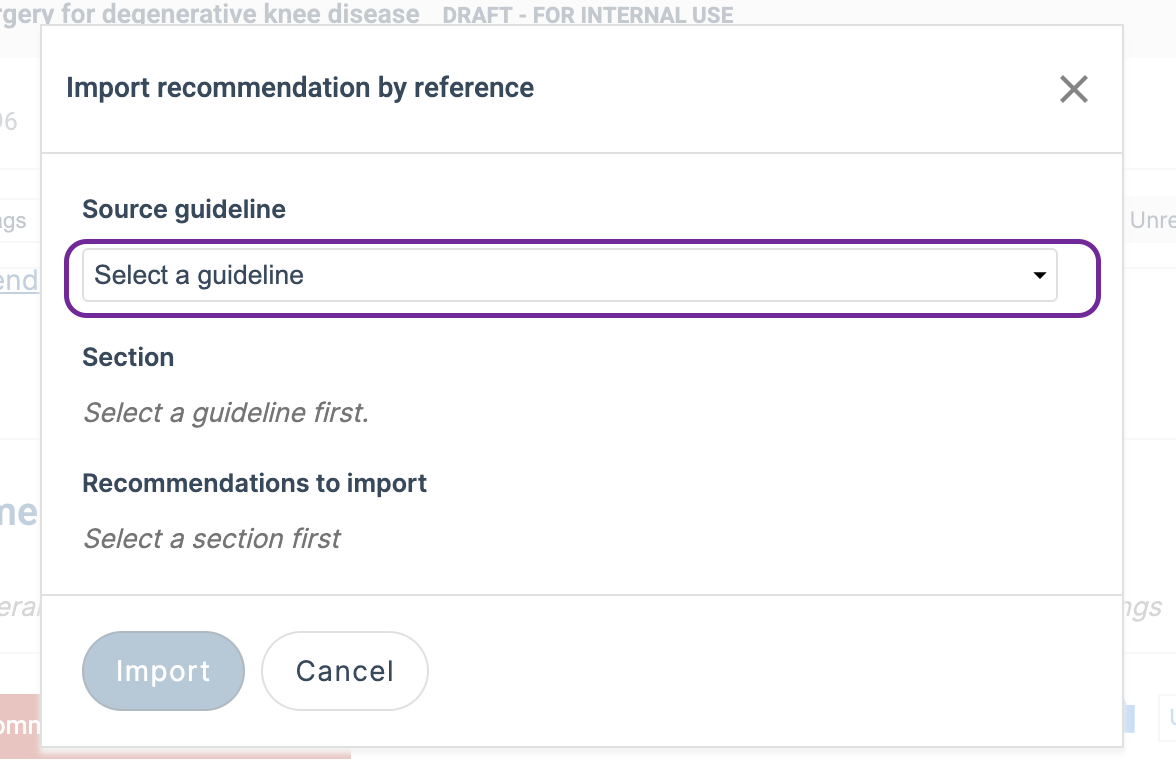
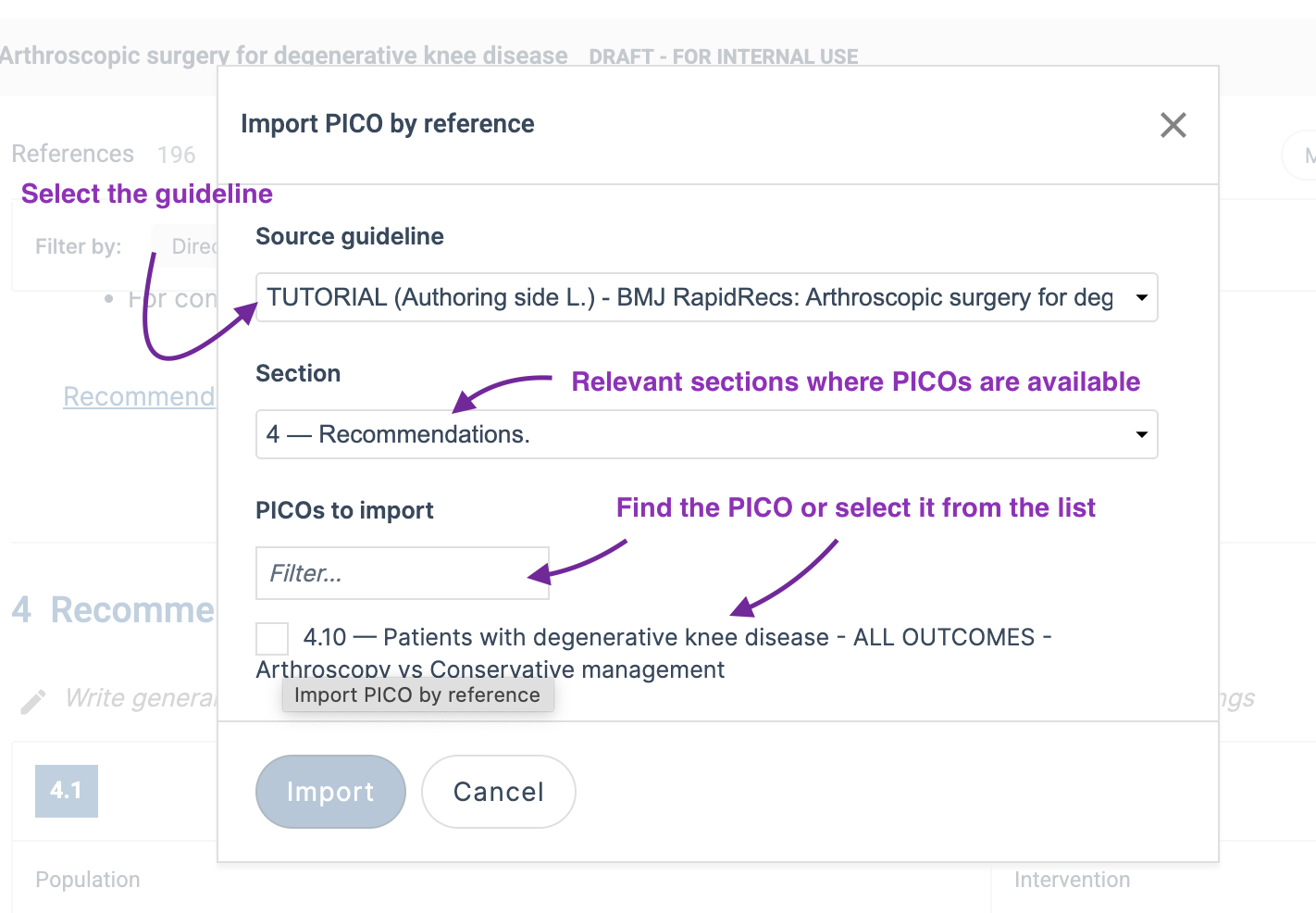
- Select the guideline you want to import from. You will only see guidelines that you have access to. Drafts and each published version of a guideline are listed separately, allowing you to choose the specific version you want to import from.
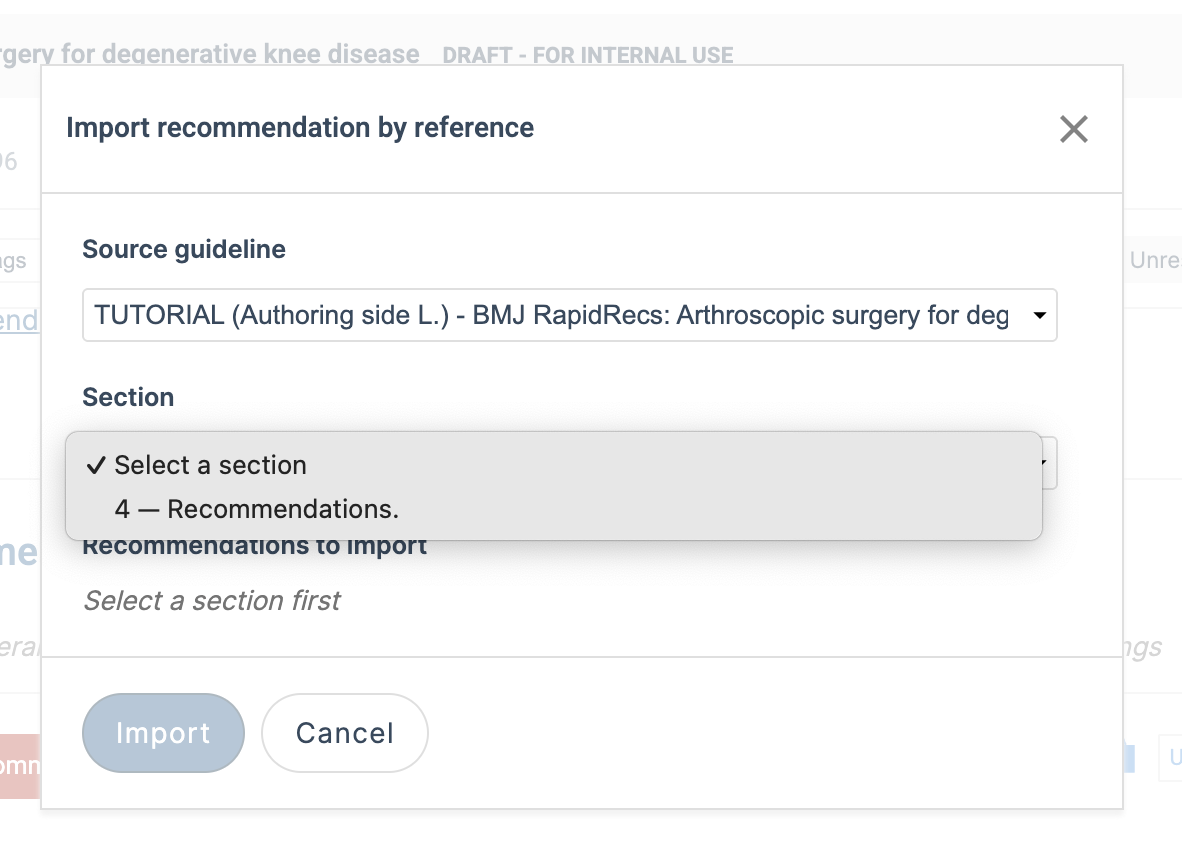
- Select the relevant section in that guideline. Only sections containing recommendations or PICOs will be displayed.
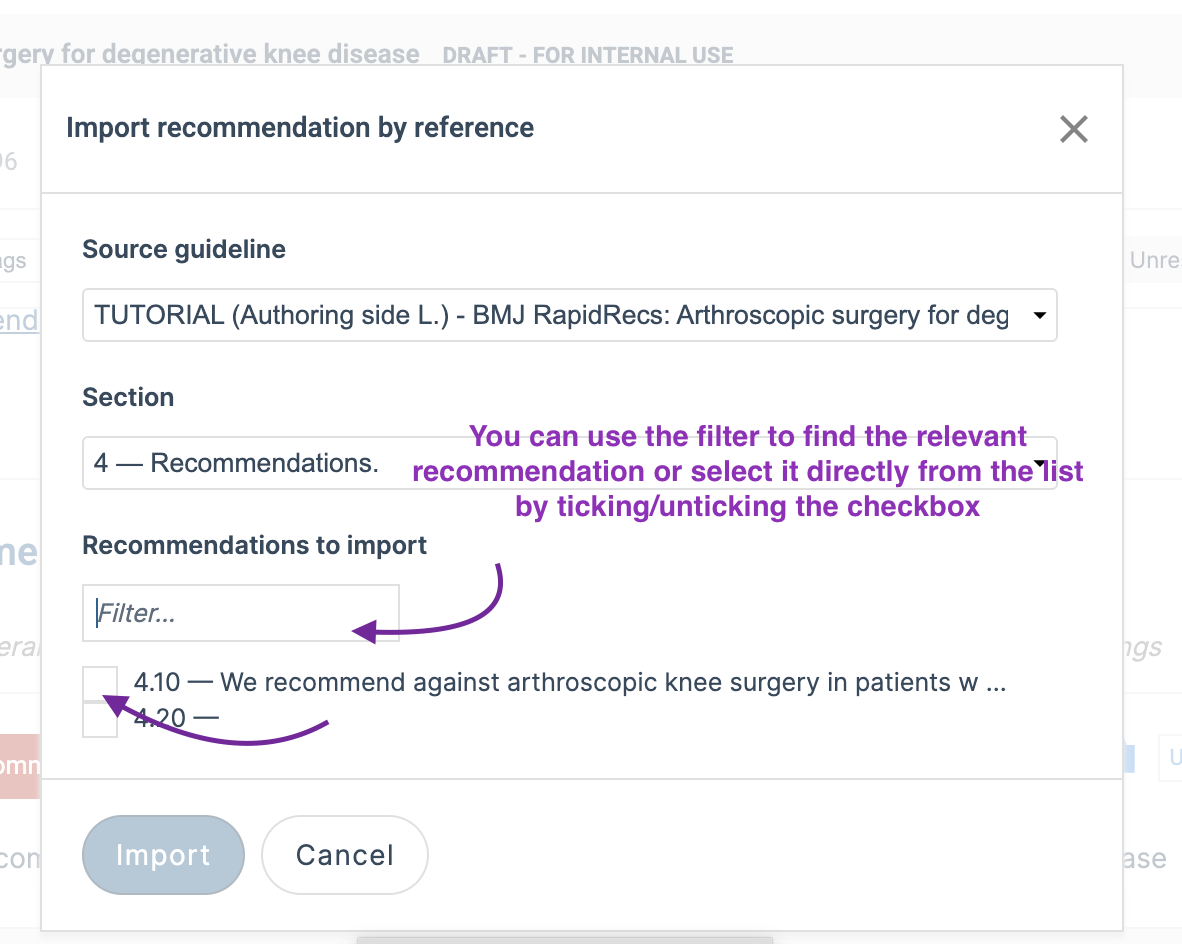
- Find the recommendation or PICO you want to import. You can use the filter to locate the relevant item, or select it directly from the list by ticking or unticking the checkbox.
- Click Import.
The selected PICO question or recommendation will be imported into the section of your current guideline.
Import a recommendation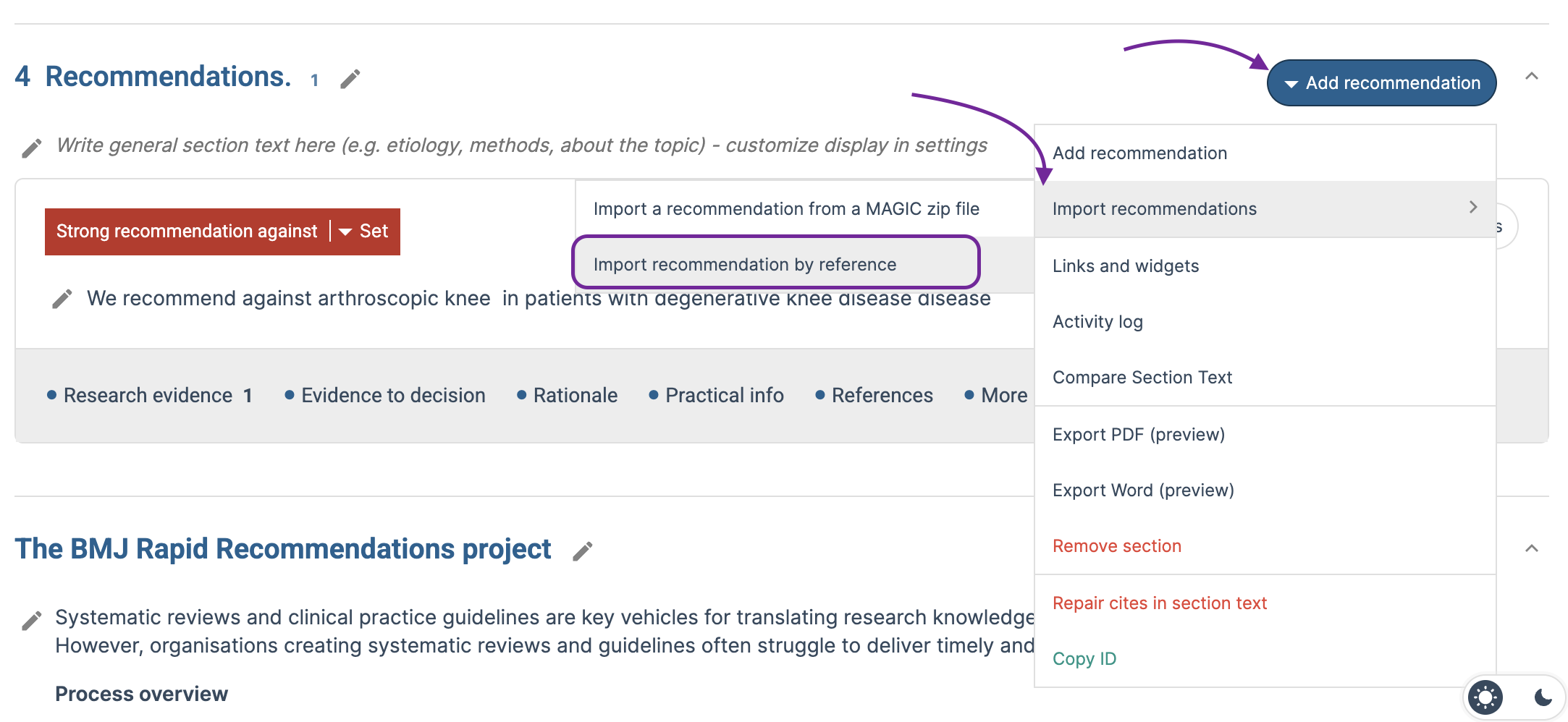
Import a PICO
Last updated: 28 August 2026
Was this article helpful?
That’s Great!
Thank you for your feedback
Sorry! We couldn't be helpful
Thank you for your feedback
Feedback sent
We appreciate your effort and will try to fix the article