Voting and Delphi process facilitator
- Open question with feedback. Can be used in scoping, to get feedback on ideas, or feedback on phrasing in a recommendation or text block. Participants write their answer in free text.
- Multiple choice question. Can be used where you give panel members options to choose from, e.g "Should this intervention be included": "Yes, No, Uncertain". Participants vote and can also give a comment in free text.
- Strength per intervention. In recommendation you can run polls for strength and direction, related to each intervention in question. The poll administrator can include voting related to one or more intervention in the same poll.
- EtD judgements. In recommendations you can run polls for judgements per evidence to decision factor. The poll administrator can include voting related to one or more factor in the same poll. This is made to work with both pairwise and multiple intervention comparisons.
- Direction of effect (per outcome in a PICO). In PICOs you can run polls for direction of effect related to each outcome in question. The poll administrator can include voting related to one or more outcomes in the same poll. You can also use the comment feature to get opinions of magnitude of effect, or use a separate multiple choice poll for that.
Feature details:
- Only admins can start and end polls. Polls can be duplicated and re-run.
- Admins can add any person with permissions to the guideline, as participant in a poll. You can use the group feature to more easily add everyone belonging to a specific panel or guideline group.
- If there are potential conflicts of interests registered on a participant, it will be shown to the admin.
- Admins do not see who voted what, but see who hasn't voted, and can send a nudge email to the remaining participants.
- Panel members could be given access to see the poll results.
- Admins can write a conclusion of the vote.
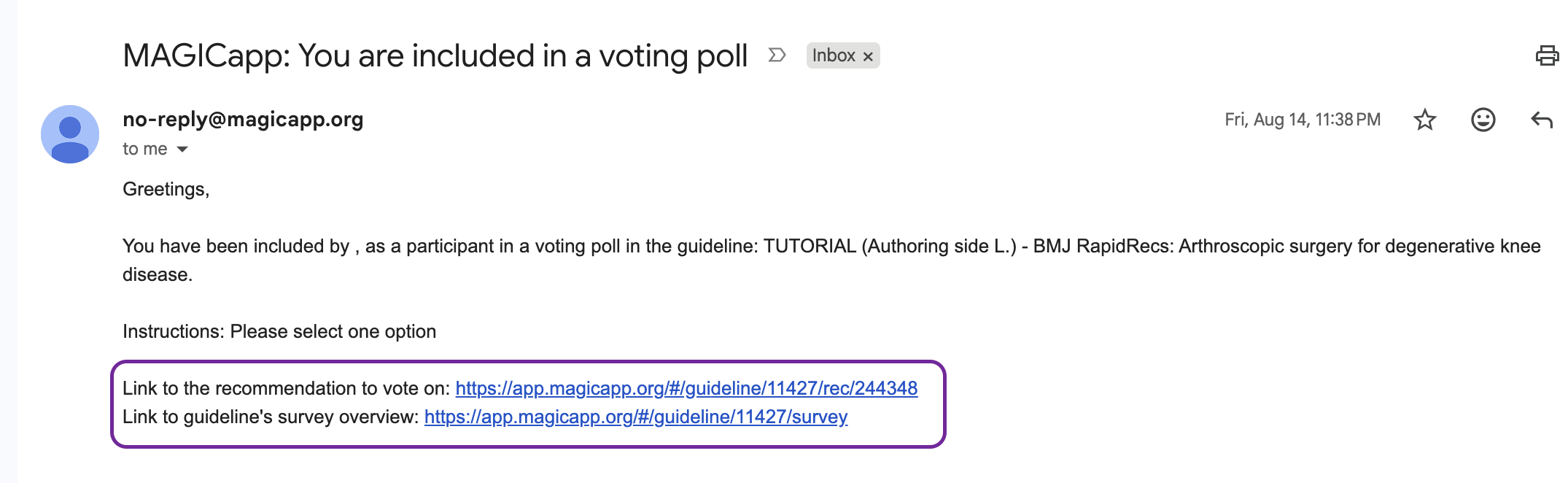
- When polls are started, all participants gets an email with instructions and links.
- Admins have access to the full history of polls for each recommendation, PICO and guideline, across guideline versions.
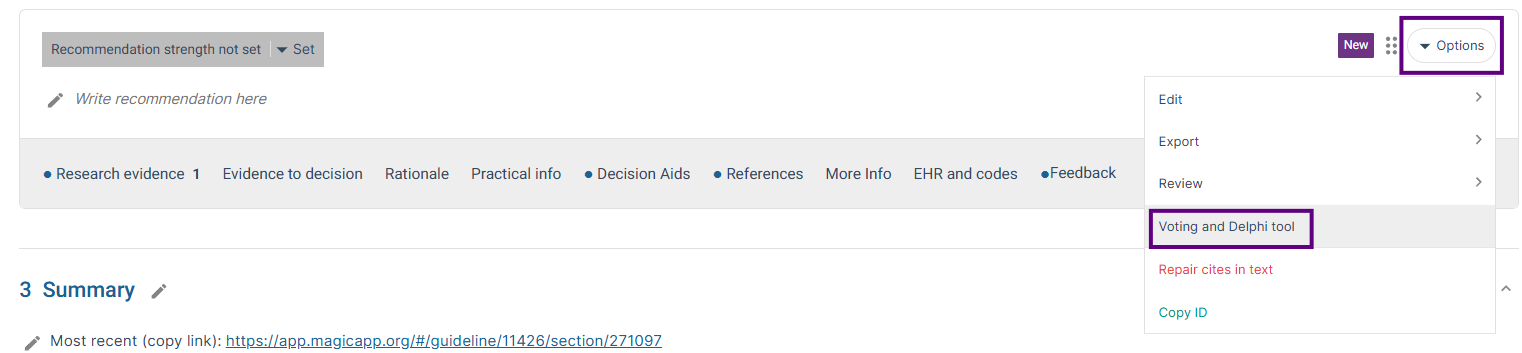
Adding a poll to a recommendation:
Adding a poll to a PICO:

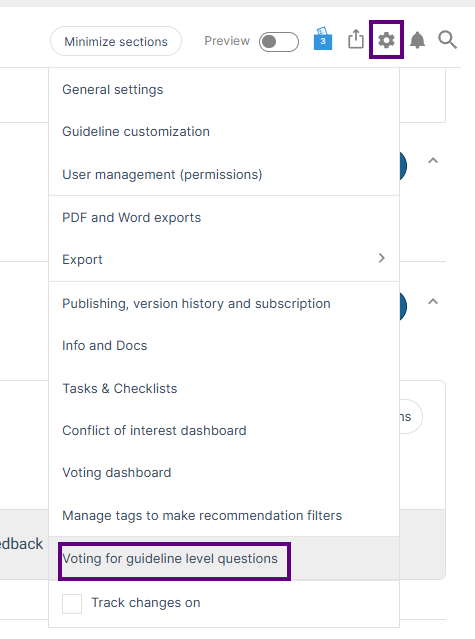
Adding a poll to a guideline:


In polls on on Evidence to Decision (EtD) factors, admins can choose which factors to include in the vote. The interventions that are included in the judgements in the EtD section, will be the ones that are included in the poll.


Poll invitations
When users are invited by email to vote in a poll, the invitation includes a direct link to the relevant guideline, making it easier for participants to access the guideline content and participate in the poll.
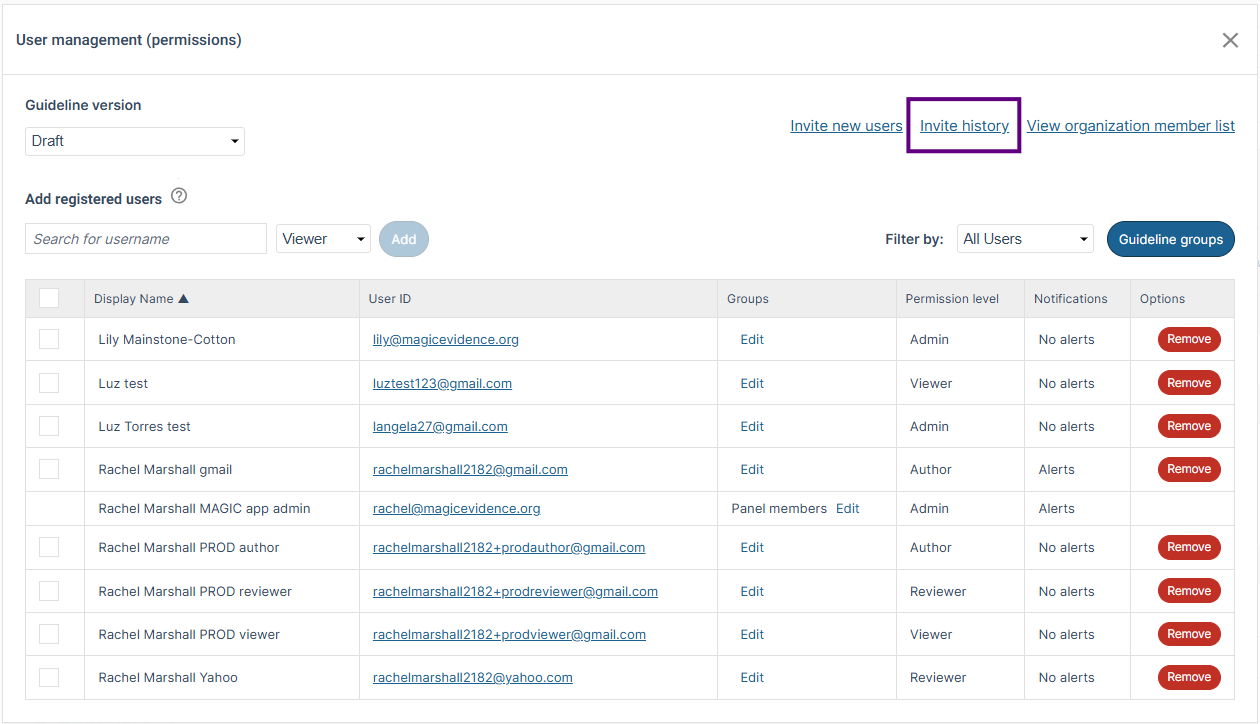
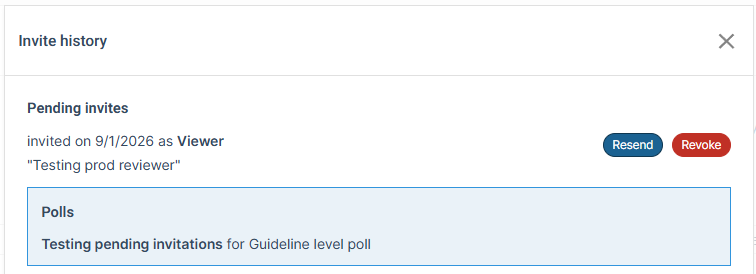
Admins can keep up-to-date with the status of new users who have been invited to the poll by accessing Invite history under User management (permissions) in Settings.
Was this article helpful?
That’s Great!
Thank you for your feedback
Sorry! We couldn't be helpful
Thank you for your feedback
Feedback sent
We appreciate your effort and will try to fix the article