To make frequently used actions easier to find, the Recommendation options menu have been reorganized into three categories:
- Edit
- Export
- Review
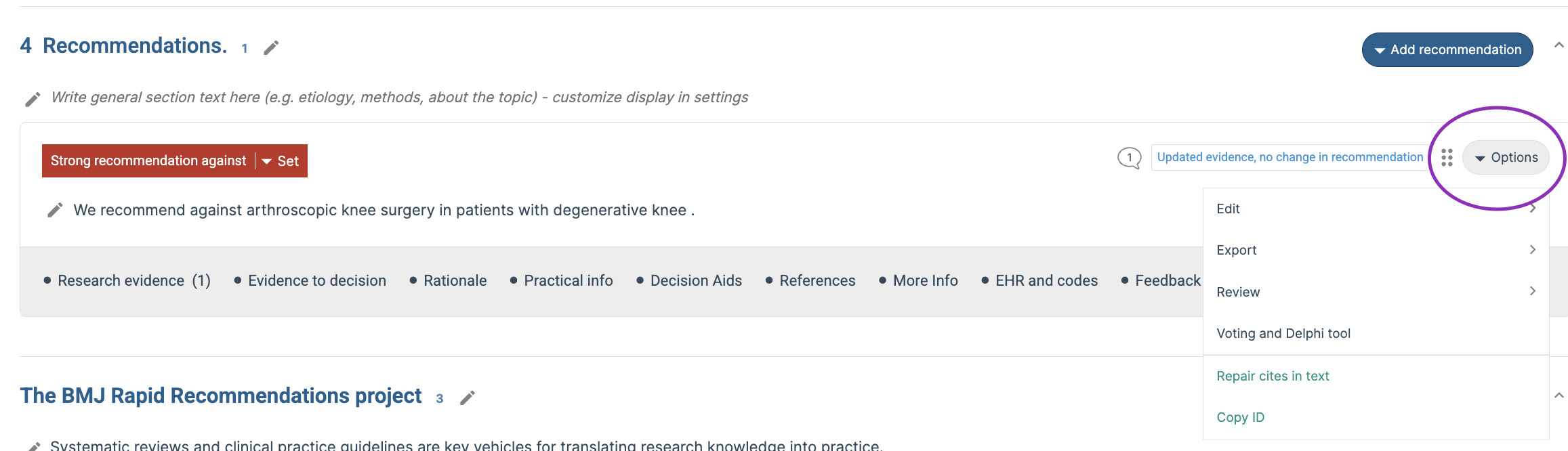
This change groups related actions together and provides a more consistent authoring experience.
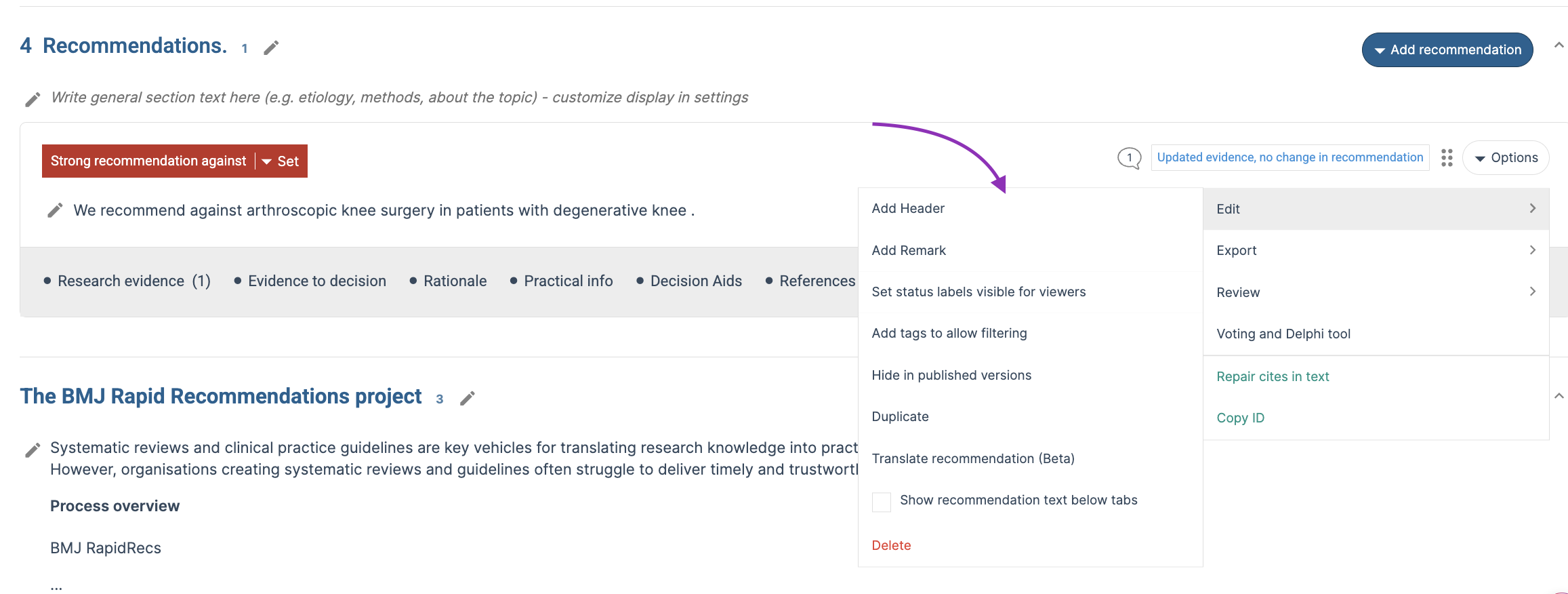
Edit
The Edit section contains actions used to modify recommendation content and settings, including:
- Add header
- Add remark
- Add status label visible for viewers
- Add tags to allow filtering
- Hide in published versions
- Duplicate
- Translate (Beta)
- Show recommendation text below tabs
- Delete
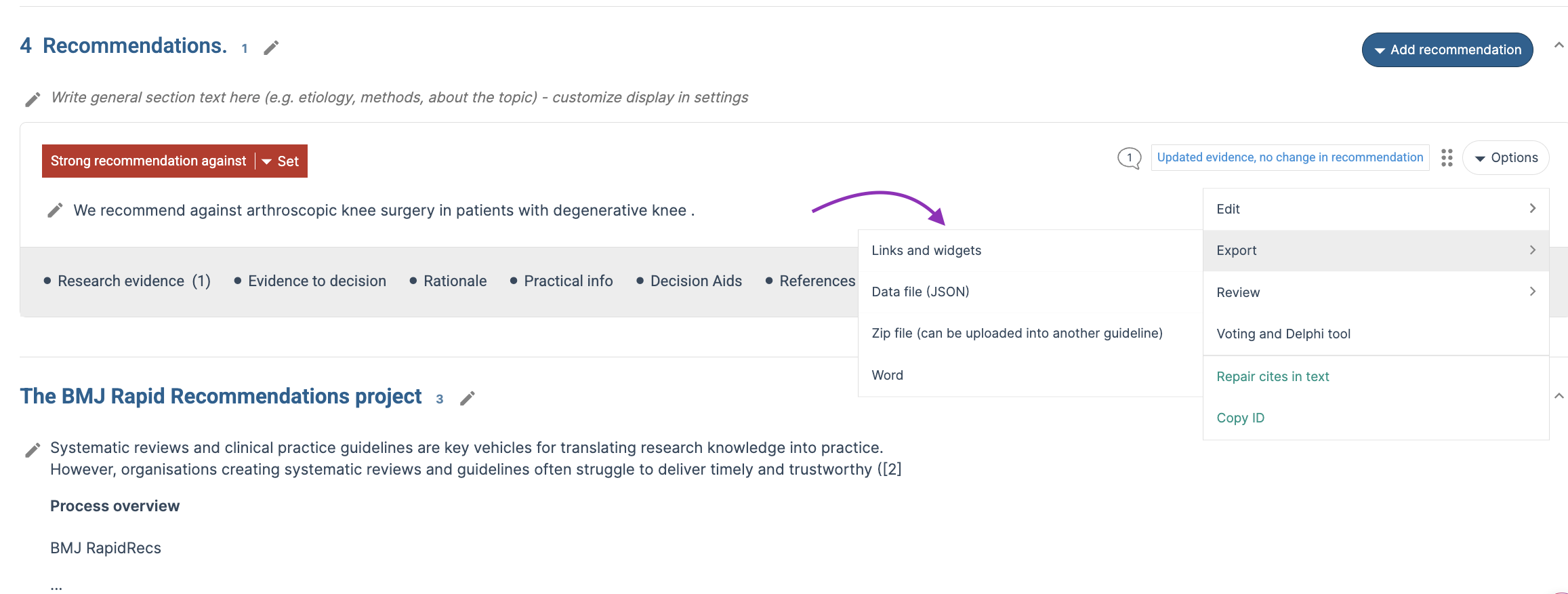
Export
The Export section contains options for exporting recommendation content in different formats:
- Links and widgets
- JSON format
- ZIP file (can be imported into another guideline)
- Word export
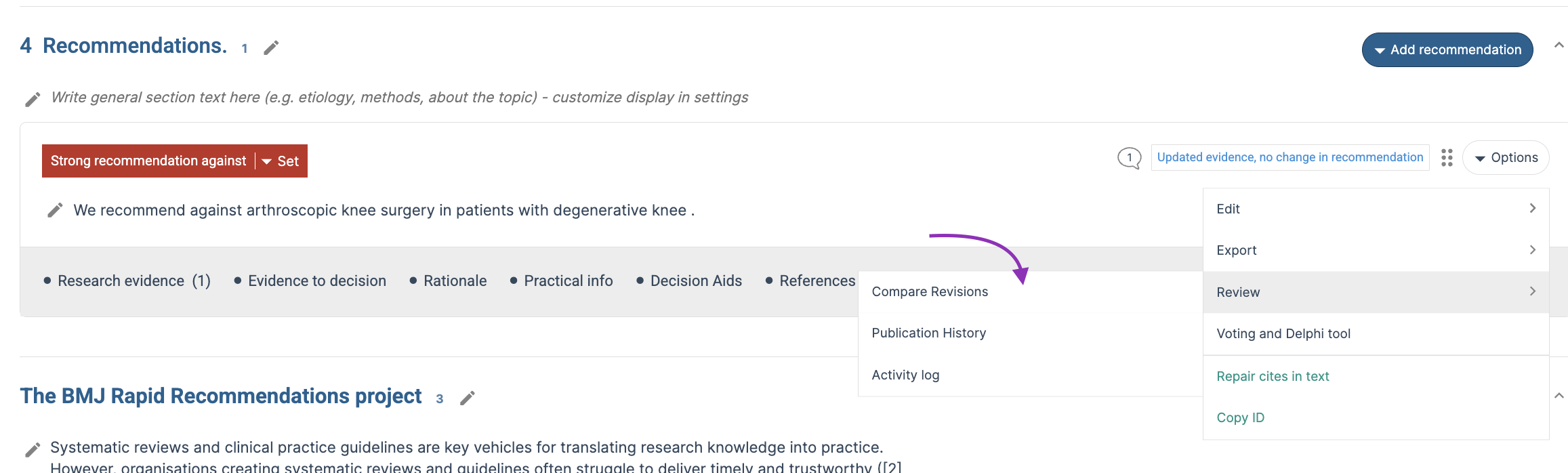
Review
The Review section contains tools that support review, auditing, and version tracking:
- Compare revisions
- Publication history
- Activity log
Additional tools remain available from the recommendation menu:
- Voting and Delphi Tool
- Repair citations in text
Last Updated: 01 October 2026
Was this article helpful?
That’s Great!
Thank you for your feedback
Sorry! We couldn't be helpful
Thank you for your feedback
Feedback sent
We appreciate your effort and will try to fix the article