MAGICapp now makes it easier for authors to review previous versions of the text they are editing and compare changes over time.
- See all revisions of a text you are editing: Authors can now view previous versions of a text while editing. This makes it easier to refer back to earlier content, understand how the text has changed, and recover or reuse previous wording when needed.
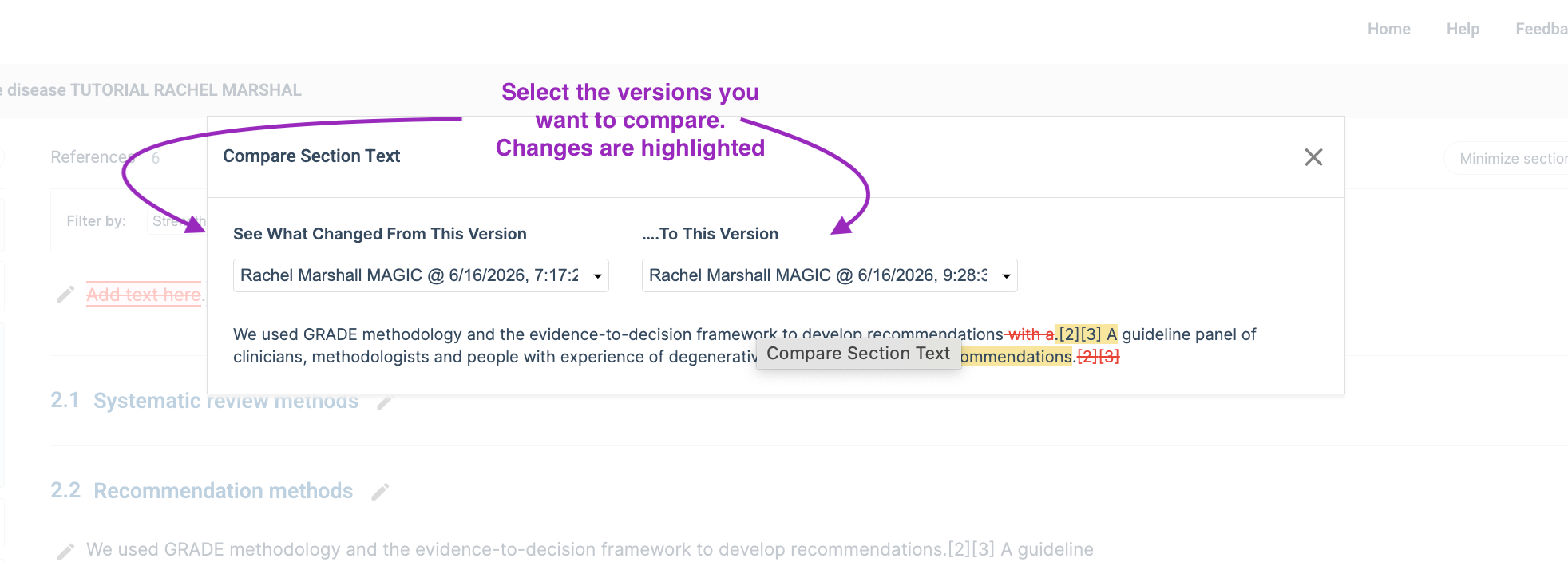
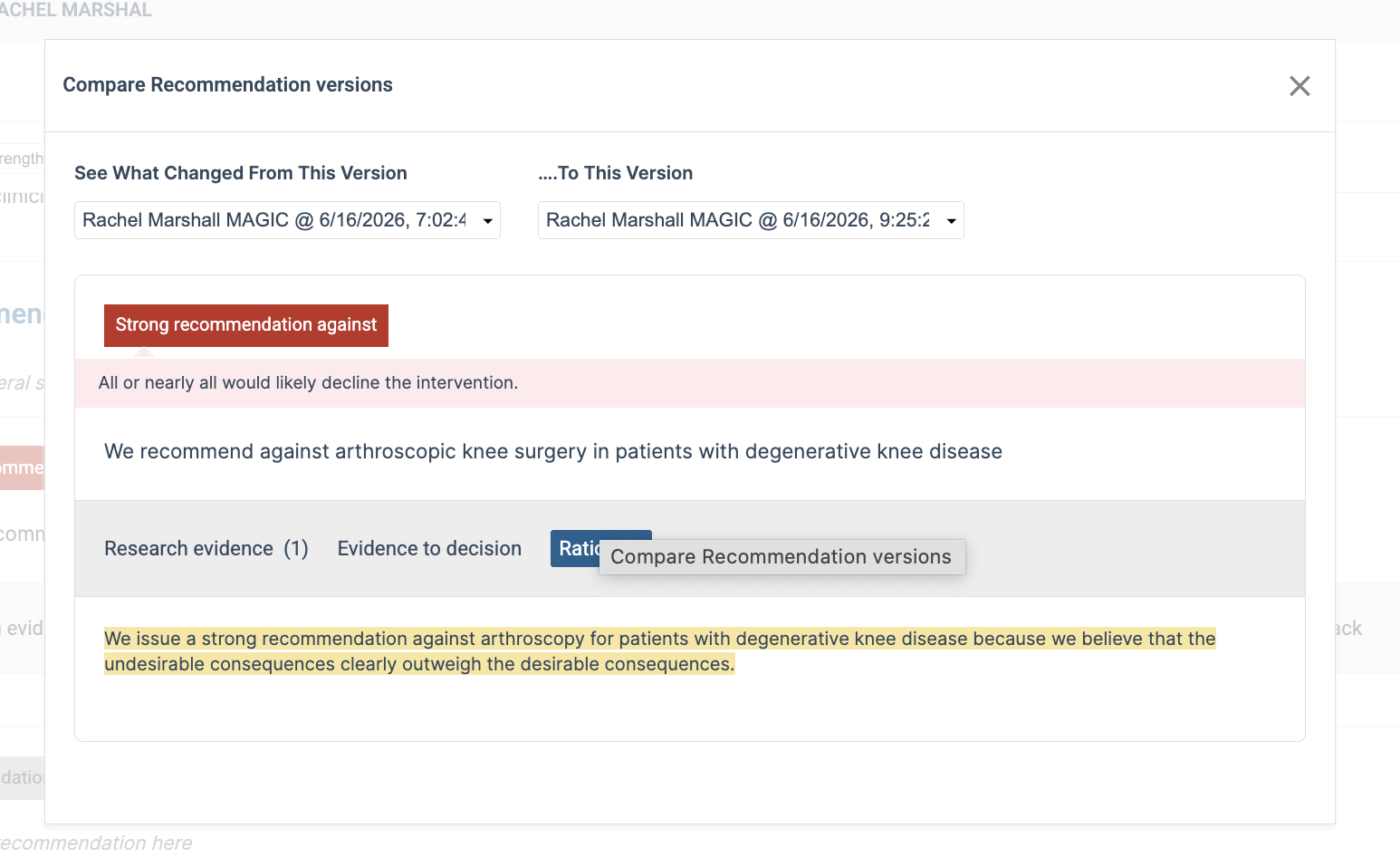
- See and compare all revisions of section, recommendation and PICO text: New comparison tools allow authors to review changes between versions of section text, recommendation text, and PICO text. Changes are highlighted, making it easier to identify what has been added, removed, or modified. This supports a more efficient and transparent review process when developing or updating guideline content.
See and compare all revisions: New comparison tools allow authors to review changes between versions of:
- Section text
- Recommendation text
- PICO text
Changes are highlighted, making it easier to identify what has been added, removed, or modified. This supports a more efficient and transparent review process when developing or updating guideline content.
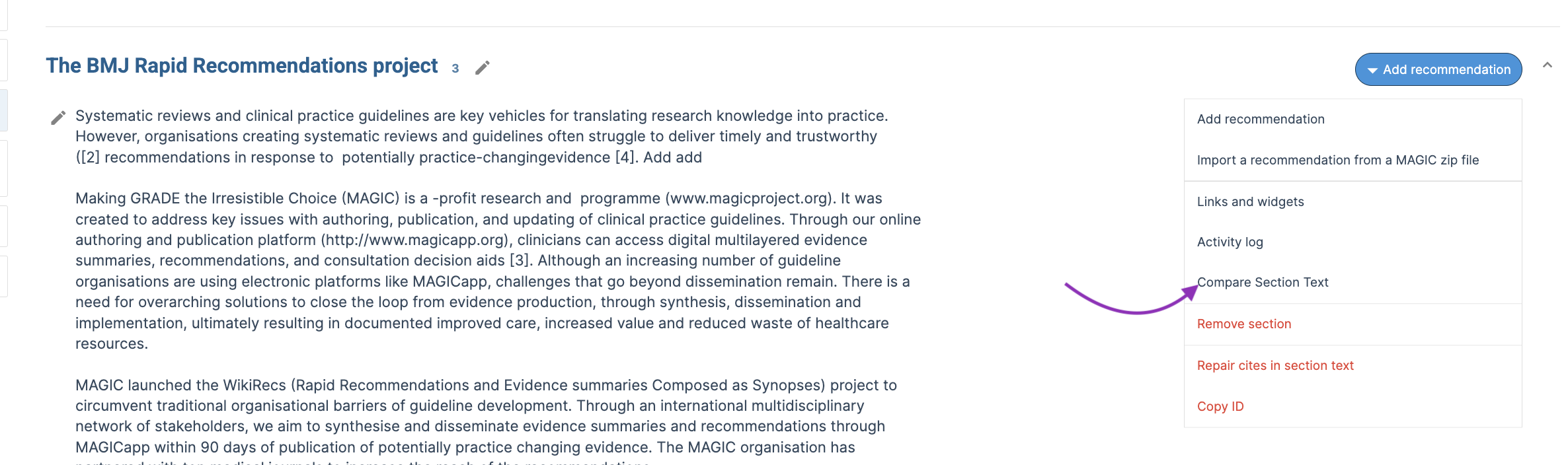
Section text: Click the options menu at the section level and then "compare section text"
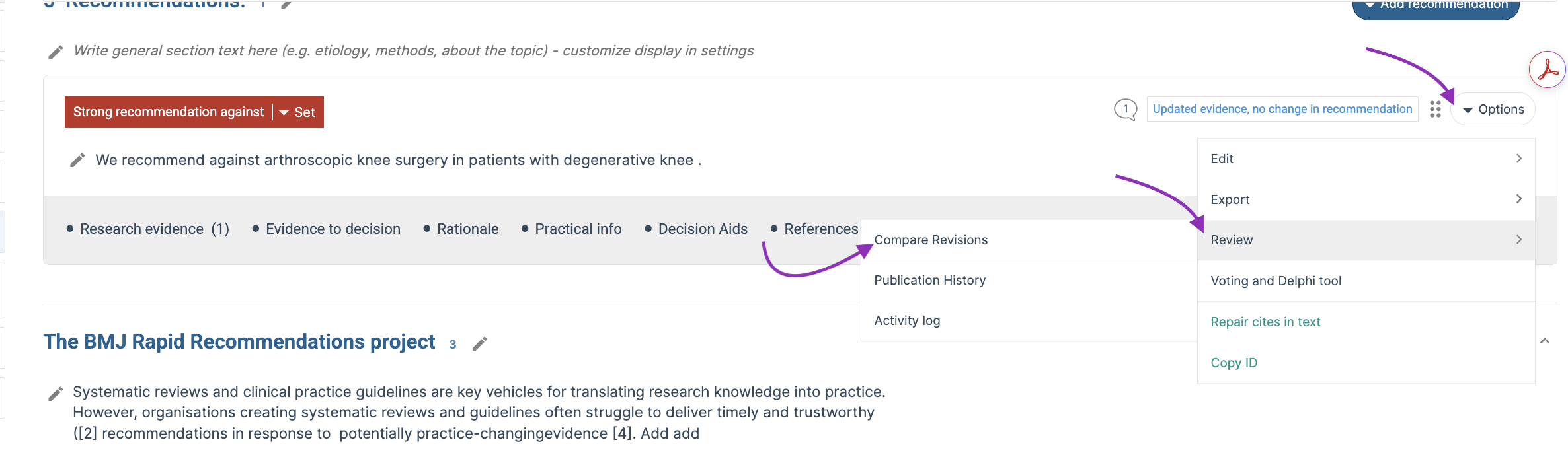
Recommendation text: Click the options menu at the recommendation level, review, and then "compare revisions"
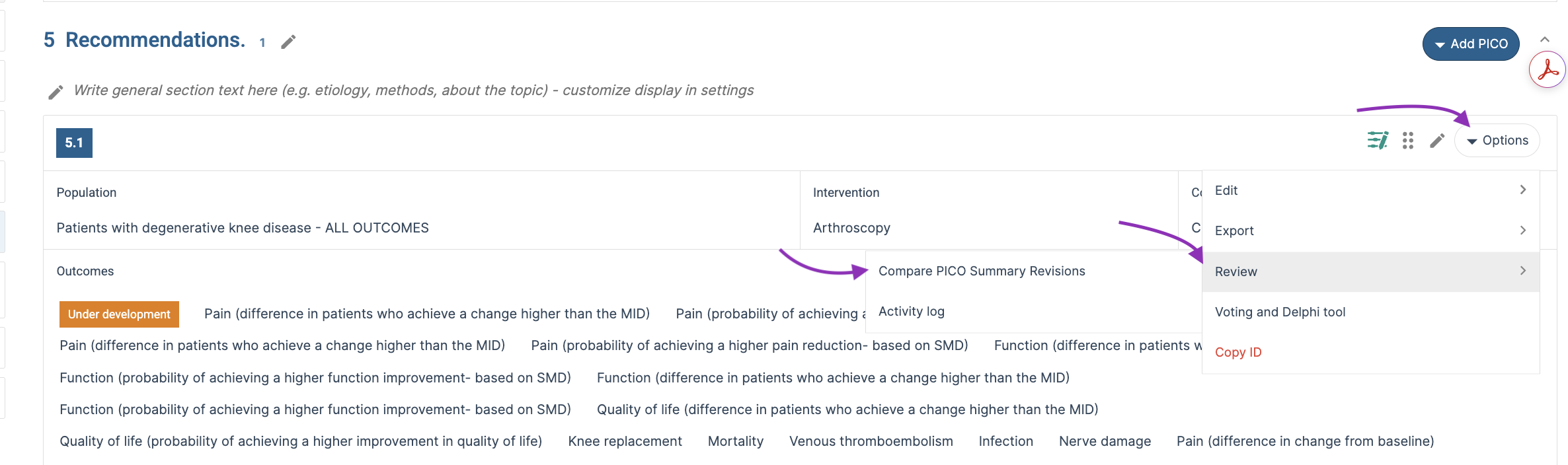
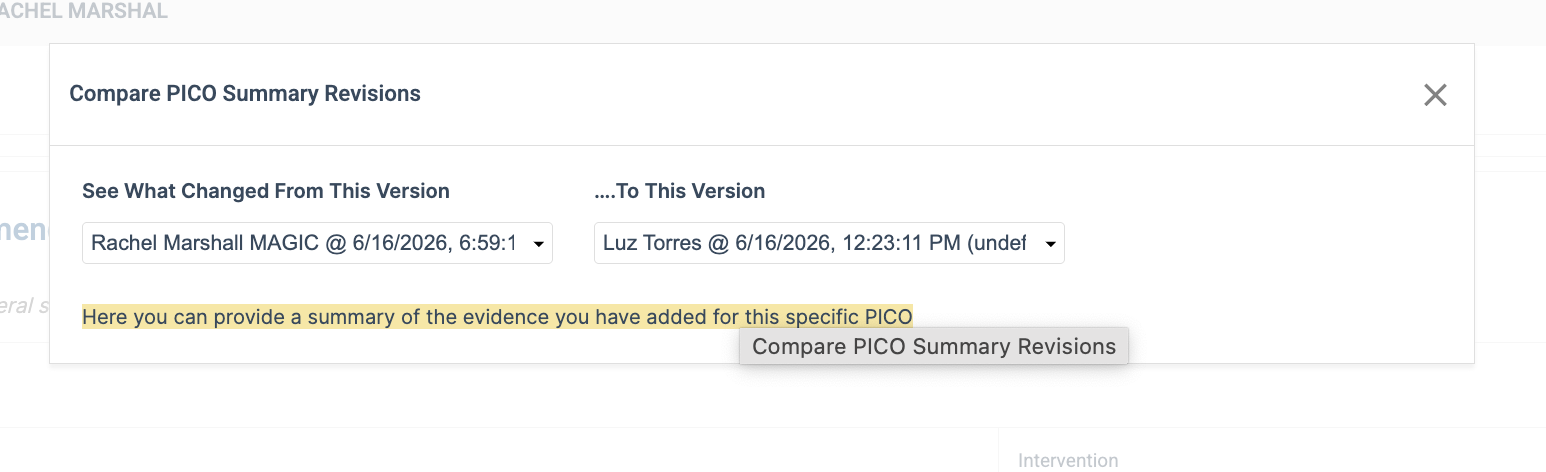
PICO text: Click the options menu at the PICO level, review, and then "compare PICO summary revisions"
See all revisions of a text you are editing
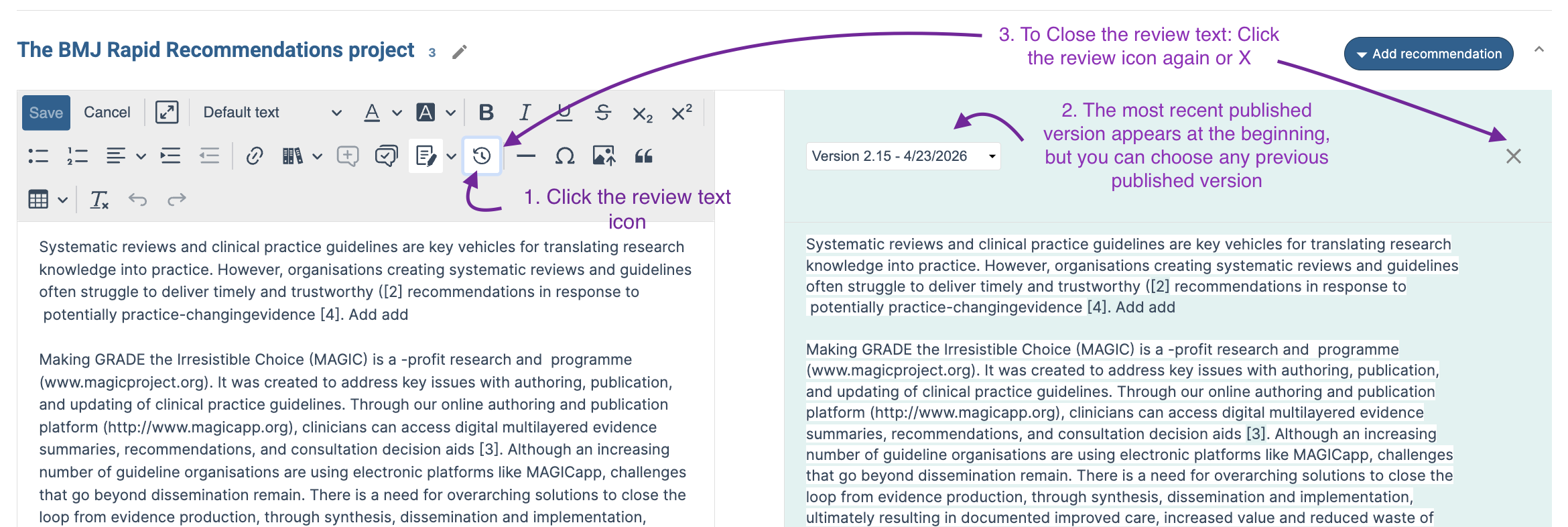
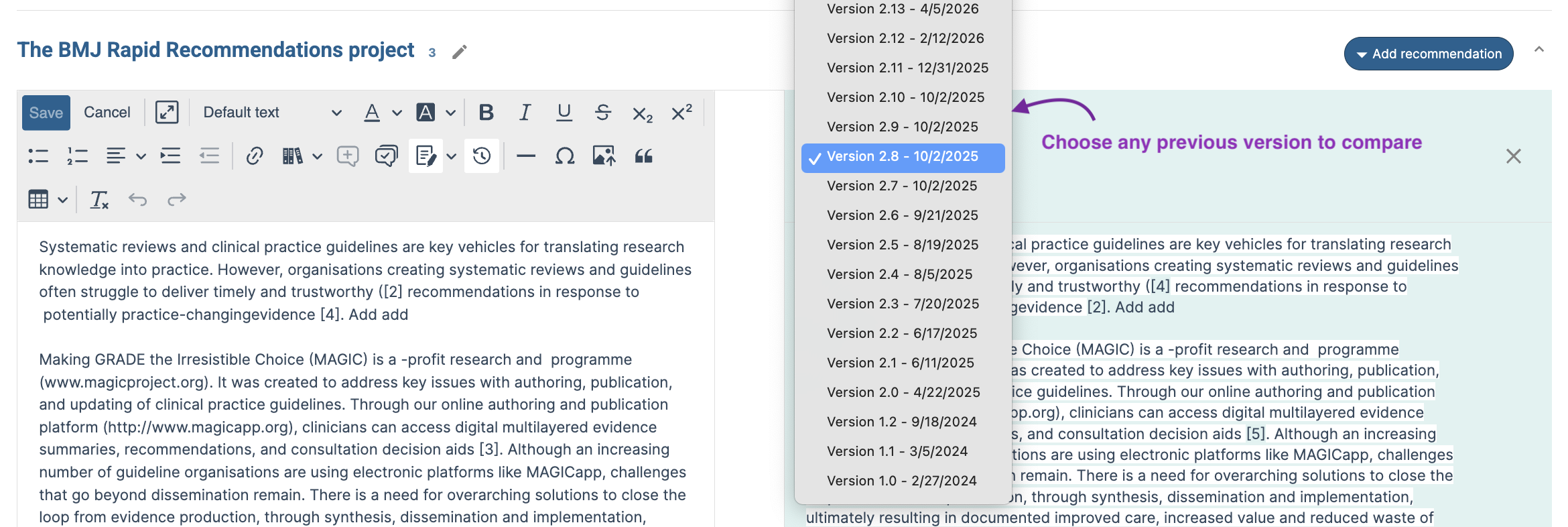
You can compare your draft text with the text from previous versions, while you are editing. Click the "Review text button" and a window appears next to your draft text, showing the text as it is in the most current published version. You can choose any previous published version to show. To close the view, simply click X or the icon again.
Last Updated: 16 June 2026
Was this article helpful?
That’s Great!
Thank you for your feedback
Sorry! We couldn't be helpful
Thank you for your feedback
Feedback sent
We appreciate your effort and will try to fix the article